
Host it yourself
Use the MIT-licensed source at no software license cost. You manage your server, credentials, updates, backups, and employee data.
Read the deployment guideOpen-source QR attendance, employee schedules, and traceable corrections. Host it yourself, or ask Devaraj Solutions to set it up and operate it for your team.
A product by Devaraj Solutions.
Source release: The MIT-licensed source is available on GitHub. Setup and hosting are offered by arrangement; there is no instant hosted signup. Review the current limitations before production use. The hero preview is illustrative, and screenshots use development example data.
The software is free to use under its open-source license. Choose to self-host, pay for setup on your infrastructure, or arrange hosting with us.
Setup, hosting, and support are paid services quoted separately. Pricing depends on your infrastructure, deployment scope, and support needs. No fixed prices or service-level guarantees are published.
Manage attendance across configured workplaces, branches, and departments, with schedules that reflect how your team works.
Set up employees and shifts, review leave and correction requests, and export attendance summaries.
Review the employees and records your permissions allow, with department-scoped access.
Scan to record attendance, review your own history, and raise a correction request when a record needs attention.
QR-based check-ins record attendance in a shared system instead of leaving HR to assemble disconnected records.
Employees can see their own history. Authorized reviewers can investigate discrepancies without silently replacing original events.
Requests and approval decisions create a traceable path from the original attendance event to an adjusted summary.
Configure schedules and location checks, then review attendance summaries and export them for further analysis.
Application screenshots from the documented development environment. Example account and workplace information is shown; these are not live customer records.
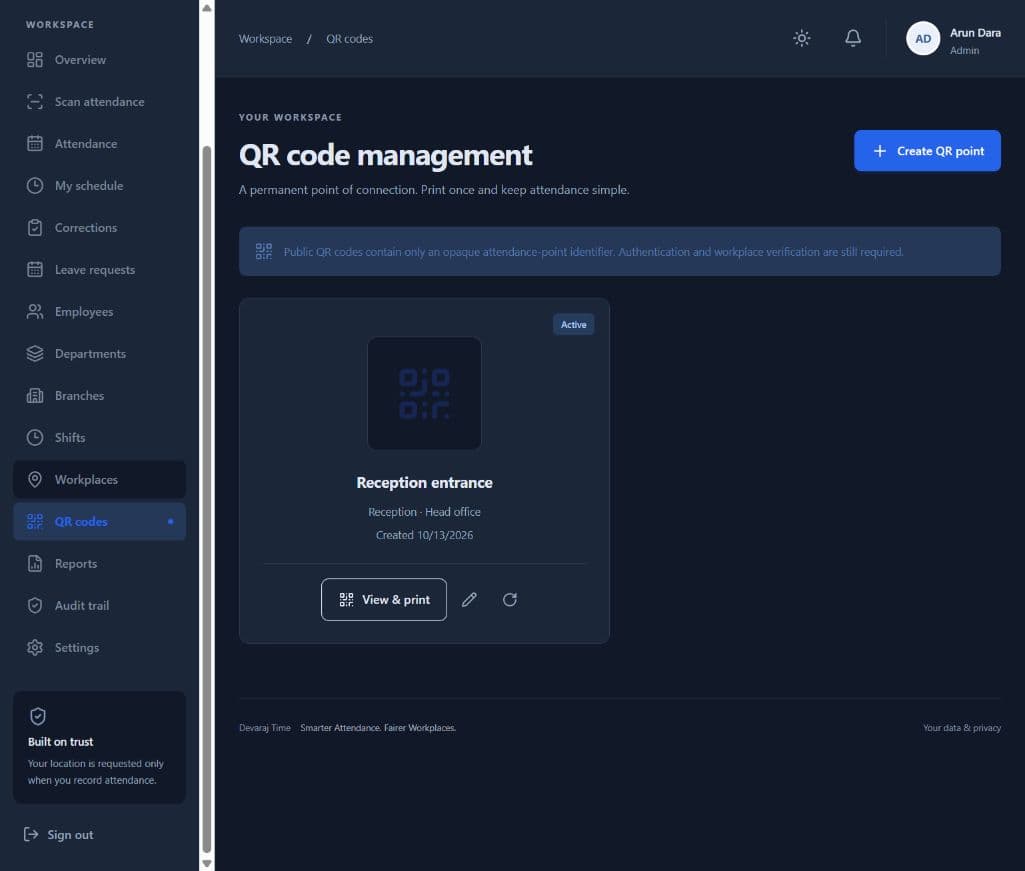
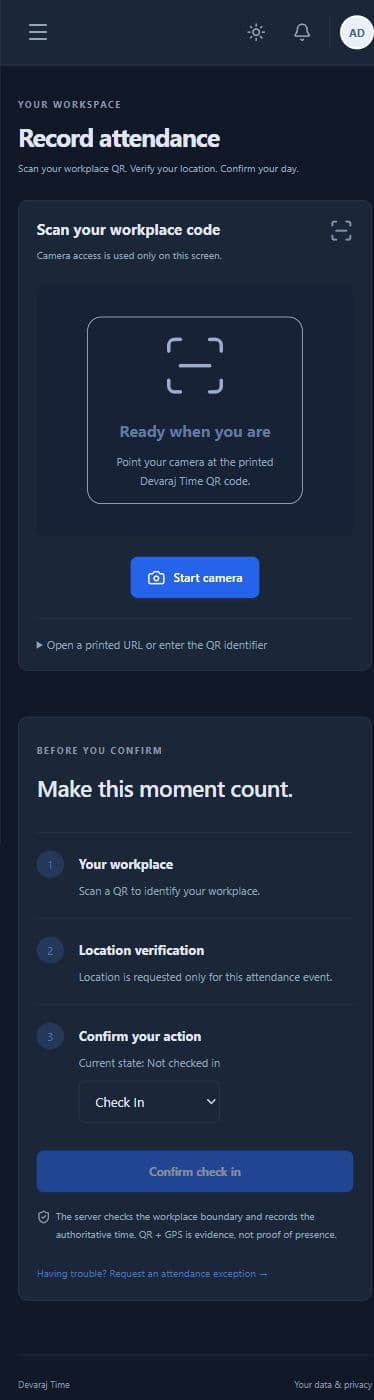
Use permanent workplace QR points for check-in and check-out. The application also supports break events and employee attendance history.
Configure workplace coordinates, a geofence radius, and location accuracy requirements. Browser GPS and QR images can be fabricated; these checks are not fraud-proof.
Assign effective-dated shifts individually or in bulk, with rotating daily schedules, rest days, and temporary overrides.
Employees can review their original attendance events. Authorized company users can review records within their permitted scope.
Review documented attendance corrections and full-day leave requests through approval workflows. Partial-day leave and leave balances are not included.
Review attendance summaries and export CSV or XLSX files. Separate advanced report modules and payroll calculation are not included.
An administrator provisions your company, configures workplaces and schedules, and enrolls your team. Public self-registration is not enabled.
Enrolled employees use the workplace QR and provide location evidence when required by the configured policy.
Review attendance, handle correction and leave requests, and export summaries for further analysis.
Choose a product with a clear understanding of what it supports today.
Self-hosted access is configured by your administrator. Paid setup and hosting are arranged after a quote; public instant signup is not available.